
You spend hours farming, stacking mutations, and growing rare crops in Roblox. Then one bad trade wipes out your profit. Or you harvest too early and lose value. That is the real problem most players face in Grow A Gardening calculators.
Values change. Multipliers stack. Pets affect profit. It becomes hard to track everything in your head.
This guide explains how a Grow A Garden Calculator helps you calculate crop value, mutation stacks, pet XP, and trade fairness with accuracy. You will learn how it works, how to use it step by step, and how to plan for maximum profit without guessing.
If you want smarter trades and better harvest timing, this guide solves it.
Table of Contents
What Is a Grow A Garden Calculator and Why Players Use It
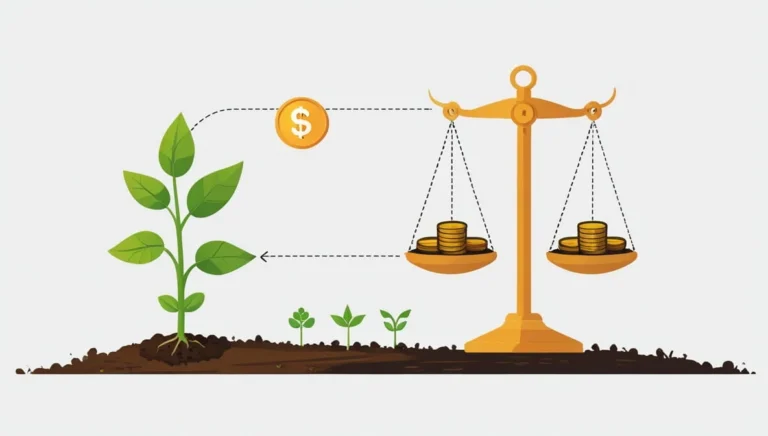
Grow A Garden Calculator is a value tool designed for Grow A Garden Roblox, a popular Roblox farming game. In this game, every crop has a base value. That value changes based on weight, mutations, environmental effects, and friend bonuses.
The problem is simple.
You cannot manually track every multiplier and still stay accurate.
So what is a Grow A Garden calculator?
It is a precision tool that:
- Calculates crop value using the base value formula
- Applies mutation multipliers correctly
- Adds friend boost percentages
- Converts value to weight
- Checks trade fairness
Why players use it
1. Trade fairness
You avoid accepting low offers.
2. Garden yield optimization
You harvest when value peaks.
3. Multiplier strategy planning
You test stacking combinations before committing.
Most serious players used spreadsheets before. But spreadsheets cause mistakes:
| Manual Sheet | Calculator |
|---|---|
| Formula errors | Auto formulas |
| Slow updates | Real-time updates |
| Hard on mobile | Mobile friendly |
IIf you already use tools like a free online word counter tool to save time in writing, the same logic applies here. Automation improves accuracy.
How It Works Inside Grow A Garden Roblox
Inside Grow A Garden Roblox, crop value follows a simple structure:
Base Value × Weight × Multipliers
Where multipliers include:
- Mutation boosts
- Temperature bonuses
- Event bonuses
- Friend boost percentage
Example:
- Base value: 100
- Weight: 5
- Mutation multiplier: 2x
- Friend boost: 20%
Final value becomes much higher than 500. Most players miscalculate the stacking order. The calculator applies the base value formula in correct sequence so you do not lose profit.
Problems It Solves for Traders and Farmers
Without a calculator, players face:
- Undervaluing rare crops
- Accepting unfair trades
- Overestimating mutation stacks
- Harvesting too early
Real example:
You think your crop is worth 5,000.
Actual stacked value: 8,400.
You just lost 3,400 in trade.
The calculator prevents that.
It also helps with multiplier strategy testing. You can compare different mutation paths and see which one gives better ROI.
Core Features of the Advanced Grow A Garden Values Tool

An advanced Grow A Garden values tool is more than a simple garden value list. It works like a dashboard.
Key features:
- Select plant dropdown with search
- Base price auto-fill
- Mutation selector
- Friend boost slider
- Real-time total value
- Export results
- Mobile optimization
You do not need external math tools like a free online RREF calculator to handle complex formulas. Everything runs instantly.
Live Grow A Garden Price List & Value Database
The Live Grow A Garden price list works from a base price library.
Sources include:
- Community-sourced values
- Market observation
- Daily value tracking
Values update regularly to reflect demand shifts.
Common mistake:
Players use outdated spreadsheets. That leads to bad trades.
With a value database:
- Base prices refresh
- Rare mutation adjustments apply
- Event plants update
Transparency matters. A clear database shows what data the tool uses.
Compare Multiple Crops Side by Side
A trade value comparison tool allows:
- Comparing two crops value side by side
- Calculating multiple plant values at once
- Testing weight differences
Example table:
| Crop | Weight | Mutation | Final Value |
|---|---|---|---|
| Crop A | 4 | 2x | 8,000 |
| Crop B | 3 | 3x | 9,000 |
This helps you choose the better trade option.
How to Use the Grow A Garden Calculator (Step-by-Step Guide)
If you are new, follow this exact input order.
- Select crop
- Enter base value
- Add plant weight
- Input friend bonus
- Add mutations
- Review total
Common mistakes to avoid
- Entering percentage as whole number
- Forgetting stacked mutation order
- Ignoring event multiplier
If you use conversion tools like a length converter tool in daily tasks, you already understand how input accuracy matters. Same here.
Entering Crop Base Value and Plant Weight
Crop base value comes from the price library.
Plant weight directly affects total value. Higher weight means higher multiplication.
Value to weight formula:
Base Value × Weight
Tip:
Always confirm weight unit. Some players misread decimal weight.
How to Input Friend Boost Percentage
Friend boost multiplier calculator works like this:
If friend bonus = 20%
Enter 20, not 0.20 unless tool specifies.
Friend percentage adds after mutation stack in most formulas.
Wrong input causes major errors.
Adding Mutations and Environmental Modifiers
Environmental mutations Roblox include:
- Temperature mutations
- Growth mutations
- Overflow multipliers
Stacking logic:
Base → Weight → Mutation → Environmental → Friend
Always check stacking order.
Mutation Multipliers Explained (Profit-Focused Guide)

Mutation multipliers are where most profit happens.
Some mutations double value. Rare ones go higher.
Stacking works multiplicatively, not additively.
Example:
2x mutation + 3x mutation
Not 5x
But 6x
This is where players lose value if they guess. For More Info Please Visit Wikipedia
How Environmental and Temperature Mutations Affect Values
Environmental mutations add conditional boosts.
Temperature mutation bonuses activate only under specific conditions.
Common question:
How do environmental mutators stack?
Answer:
They multiply after base mutation unless tool states otherwise.
Tip:
Check active environment before harvesting.
Best Mutation Combinations for Maximum Profit
Best mutation combinations for profit often include:
- Rare growth mutation
- Event mutation
- Temperature boost
Avoid stacking low multipliers with rare crops if weight is small.
Strategy:
High weight + high mutation = peak value.
Mutations Ranking List (Rarest to Most Profitable)
Typical ranking pattern:
- Event-exclusive mutation
- Limited-time overflow
- Temperature rare
- Standard growth
Which crops have the rarest mutations?
Usually event plants.
Always verify via updated market stats.
Value-to-Weight Converter & Reverse Calculator Strategy

A value to weight converter helps you plan backwards.
Instead of asking:
What is my value?
You ask:
What weight do I need for 10,000?
This is called reverse value calculator logic.
Like a weight converter kg to pounds helps switch units, this tool switches between target value and required weight.
What Is Value-to-Weight Conversion?
Value-to-weight conversion means calculating:
Target Value ÷ (Base × Multipliers) = Needed Weight
It helps optimize plant weight vs value before harvest.
How to Reverse Calculate Needed Plant Weight
Steps:
- Enter base value
- Add multipliers
- Enter target profit
- Tool outputs required weight
This helps in harvest timing decisions.
Pet XP Calculator, Hatch Speed & Trading Value
Pets affect value and trading power.
A Grow A Garden pet XP calculator tracks:
- XP growth rate
- Hatch speed
- Pet weight progression
Advanced Pet Weight Progression Formula
Pet weight progression tracker calculates:
Base XP × Growth rate × Time
Rare pets grow differently.
Tip:
Track XP daily to avoid overfeeding.
Pet Hatching Calculator & Hatch Time Estimate
Pet hatching calculator estimates:
Egg type + Hatch speed = Time remaining
Faster hatch = faster trade opportunity.
Grow A Garden Pet Trading Guide
To calculate Sheckle value of rare pets:
- Check rarity tier
- Check XP level
- Check market demand
Never trade rare pets without value check.
W/F/L Trade Analyzer & Fair Trade Checker

Grow A Garden WFL trade analyzer compares:
Offer vs Request
It gives a trade fairness score:
- W = Win
- F = Fair
- L = Loss
How to Calculate Trade W/F/L Results
Enter:
- Your offer total value
- Their offer total value
Tool compares and shows difference.
If difference > 10%, it flags.
How to Avoid Bad Trades in Grow A Garden
Tips:
- Always calculate first
- Avoid emotional trades
- Check updated price list
Fair trade value in Grow A Garden depends on live demand.
Garden ROI Calculator & Profit Estimation

Garden ROI calculator helps plan investment vs output.
ROI formula:
(Net Profit ÷ Investment) × 100
Use crop value optimizer before planting high-cost seeds.
If you track investments using a SIP calculator tool, you understand long-term growth logic. Farming works the same way.
Best Crops for Maximum Value in Grow A Garden
What crop gives best money per weight?
Usually:
- High base value crops
- Event crops
- Mutation-friendly plants
Test with calculator before planting bulk.
Garden Yield Optimization & Harvest Planner
Garden harvest planner shows:
- Expected yield
- Target weight
- Profit margin
Plan harvest when multiplier is active.
Market Data, Real-Time Updates & Community Values
Grow A Garden market stats change daily.
Roblox Grow A Garden daily value updates reflect:
- New events
- Balance changes
- Community trade trends
How often Grow A Garden calculator updates?
Daily or weekly depending on data source.
Where to Find Up-to-Date Mutation Multipliers
Check:
- Community values
- Real-time stock tracker
- In-game event board
Avoid outdated forums.
What Data Does the Calculator Use?
It uses:
- Base price database
- Community-sourced values
- Historical trade data
Transparency builds trust.
Mobile Optimization, Dashboard & Export Features
A mobile friendly Grow A Garden calculator tool must:
- Load fast
- Fit small screens
- Use dropdown selectors
Using the Calculator on Mobile
Yes, you can use the calculator on mobile.
Tip:
Use landscape mode for better dashboard view.
Export Results & Inventory Tracking
Export results in CSV.
Track:
- Garden item values
- Crop weight
- Mutation type
You can convert exported files using tools like image to PDF converter if needed for sharing.
Unique Angle #1 – Multiplier Strategy for Event Plants & Overflow Gains
Event plants often carry overflow multipliers.
Strategy:
- Wait for event mutation
- Stack environmental boost
- Apply friend bonus
- Harvest at peak
Timing matters more than speed.
Avoid harvesting before event bonus activates.
Unique Angle #2 – Spreadsheet Alternative vs Manual Calculation
Roblox Grow A Garden spreadsheet alternative saves time.
Manual calculation problems:
- Wrong formula
- Incorrect stacking
- Missed decimals
Advanced Grow A Garden calculator solves:
- Precision formulas
- Instant updates
- Scalability for large inventories
You save hours and reduce risk.
Final Conclusion

Grow A Garden is simple on the surface. But value stacking, mutation strategy, pet progression, and trade fairness make it complex fast.
A Grow A Garden calculator gives you clarity.
You avoid bad trades.
You maximize harvest profit.
You plan mutation stacks smartly.
You track ROI like an investor.
If you treat farming like strategy instead of guessing, your Sheckle value grows consistently.
Author Bio
Zayan Faris is a digital tools strategist and content creator focused on building practical, user-first resources. He specializes in turning complex systems into simple guides that help readers make smarter decisions.